CH-J Server Managerserver management over SSH
Menu
A CH-J Software project → DESKTOP APPLICATION · ALPHA

CH-J Server Manager – SSH client · Linux server management

SSH, SFTP and diagnostics in one application.

Manage remote servers from Windows, macOS or Ubuntu with an SSH terminal and SFTP file manager. Check network services, diagnose server connections and verify file checksums.

Credentials stay in an encrypted local vault. The application requires no CH-J account, supports plugins and is free for commercial and noncommercial use under the current license.

An Alpha development version is available. Before using it on important systems, review the limitations of individual features and prepare backups.

Windows 11 · macOS Apple Silicon · Ubuntu 24.04

3available platforms
SHA‑512integrity check for every package
DOWNLOAD THE APP

Download and installation

All releases and updates →

Windows 11

x64 · 64 bit

Alpha v0.0.1

EXE · first installation and updates · 108.8 MB

Download for Windows

Test release. Back up important data before use.

Technical details
File
CH-J-Server-Manager-Setup-0.0.1-x64.exe
Published
14 Oct 2026, 20:48
Build ID
core-20261014T184258Z-3fbed0b93fdf · Application source code
Downloads
2

License 1.14. Before each new build is used, the application displays CS/DE/EN guidance and asks for license acceptance. Create and test backups before risky operations. The application does not guarantee that backups exist or can be restored. License · Documentation and guidance

Show full SHA-5120c9f45bc1c35b4d1cd2796191cbec56ed7ced204276d14778d3df121792f22a99088058350aef545828353908c66bb4ba70613dbaf9be9c86c703203b347b219
GPG signature (.asc) · Verify signature and file

Installation guide →

macOS

Apple Silicon · arm64

Alpha v0.0.1

DMG · installation and updates · 151.4 MB

Download for macOS

Test release. Back up important data before use.

Technical details
File
CH-J-Server-Manager-0.0.1-arm64.dmg
Published
14 Oct 2026, 20:48
Build ID
core-20261014T184258Z-3fbed0b93fdf · Application source code
Downloads
1

License 1.14. Before each new build is used, the application displays CS/DE/EN guidance and asks for license acceptance. Create and test backups before risky operations. The application does not guarantee that backups exist or can be restored. License · Documentation and guidance

Show full SHA-512fbf9cda10e4af3bbeaab7fe61d2ad15d1edb25ce6308153aca663a52e00b48276339531711211bac3e9d9c3ae231b95fa99df33448ee55d6545350fe8017b983

GPG signature (.asc) · Verify signature and file

Installation guide →

Ubuntu / Debian

x64 · 64 bit

Alpha v0.0.1

DEB · tested on Ubuntu 24.04 · 108.3 MB

Download for Linux

Test release. Back up important data before use.

Technical details
File
ch-j-server-manager_0.0.1_amd64.deb
Published
14 Oct 2026, 20:48
Build ID
core-20261014T184258Z-3fbed0b93fdf · Application source code
Downloads
1

License 1.14. Before each new build is used, the application displays CS/DE/EN guidance and asks for license acceptance. Create and test backups before risky operations. The application does not guarantee that backups exist or can be restored. License · Documentation and guidance

Show full SHA-512396d3bbd98487a6c9763dabe3971c67e138ca6e9b1386cfacc010180e4437fcd555d5ace120e43a8e24690b9e9e319aa96295f43c2f77a46fffc7157016e8e51

GPG signature (.asc) · Verify signature and file

Installation guide →

APT · alpha

Updates through the signed APT repository. First configure the source and verify the key using the guide.

Repository setup and key verification →

Installers are available for Windows 11 x64, macOS Apple Silicon (arm64) and Ubuntu 24.04 amd64. There is no Intel Mac installer; compatibility with other Linux distributions has not been verified.

FEATURES

Tools for everyday server administration

Core features bring connections, terminal sessions, files and secure credential storage into one workflow.

SSH client

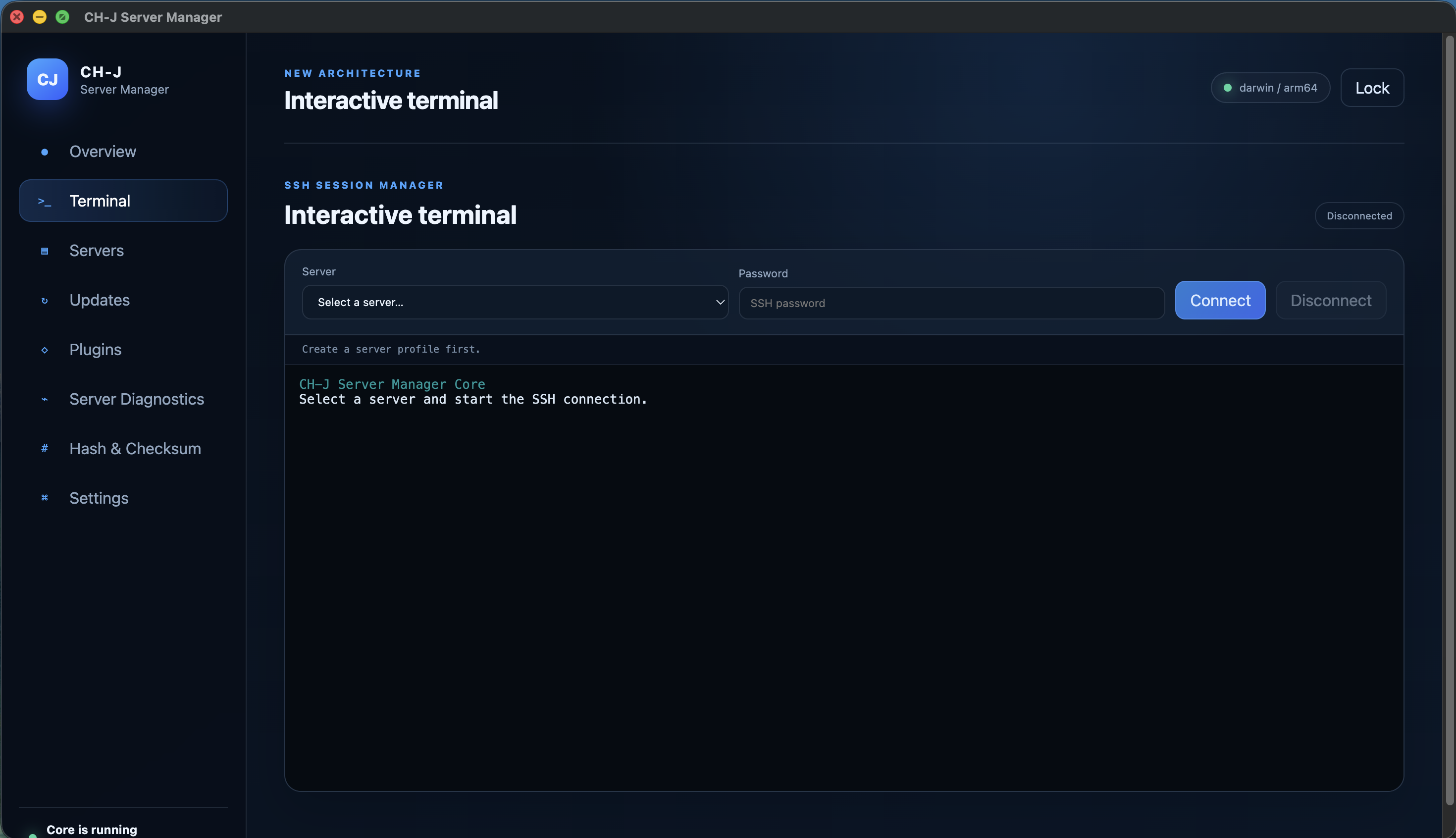
Connect to Linux and other SSH servers directly from the application. A unified environment makes working with multiple servers easier without constantly switching between separate tools.

SFTP file manager

Work with remote files over SFTP while using an SSH terminal within the same server profile.

Organized server profiles

Store servers in individual profiles and keep the required connection parameters available in one place.

Installable tools

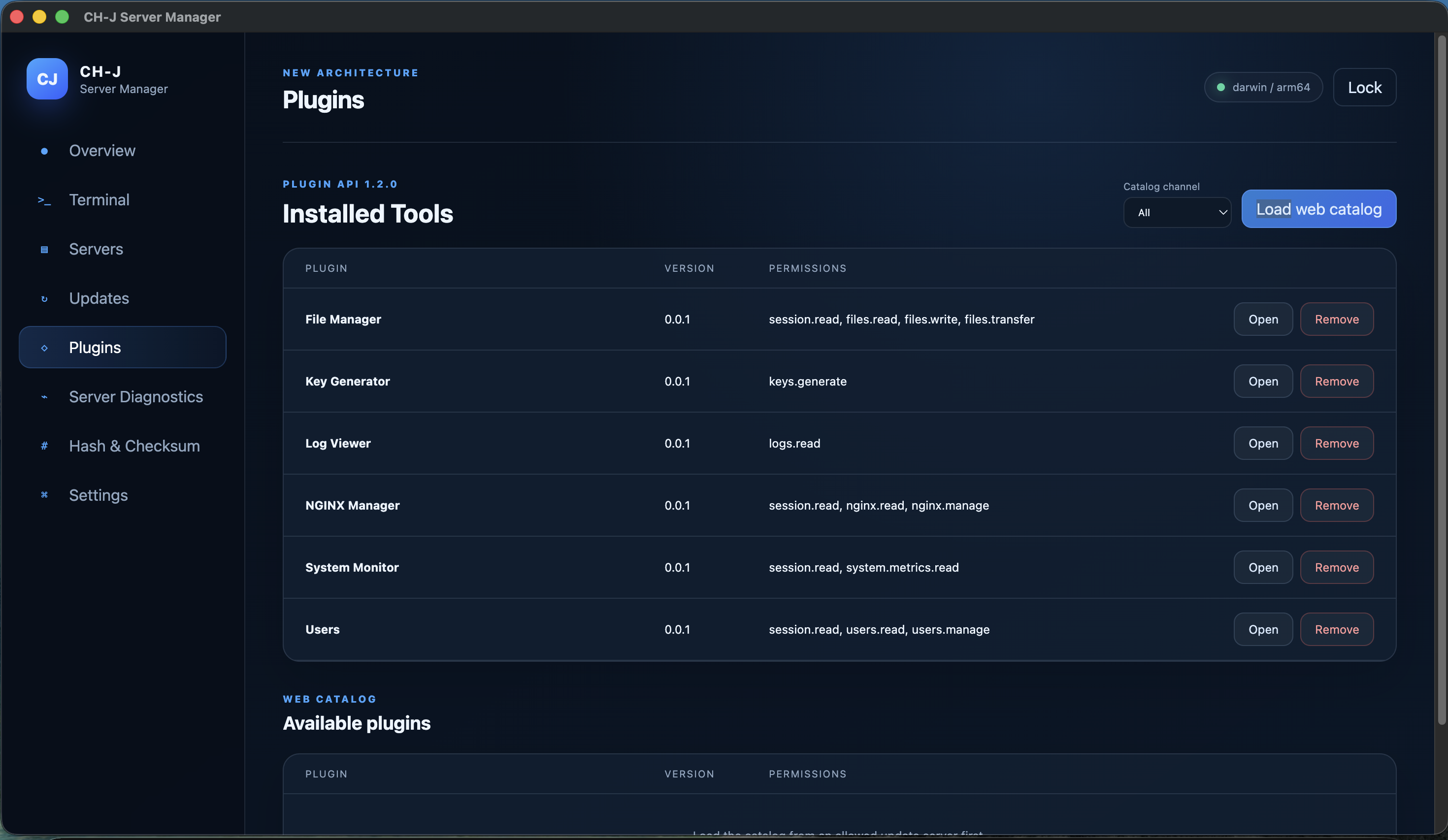
Extend the compact Core with separate plugins for monitoring, SFTP file management, SSH keys, logs, users or NGINX without modifying the base application.

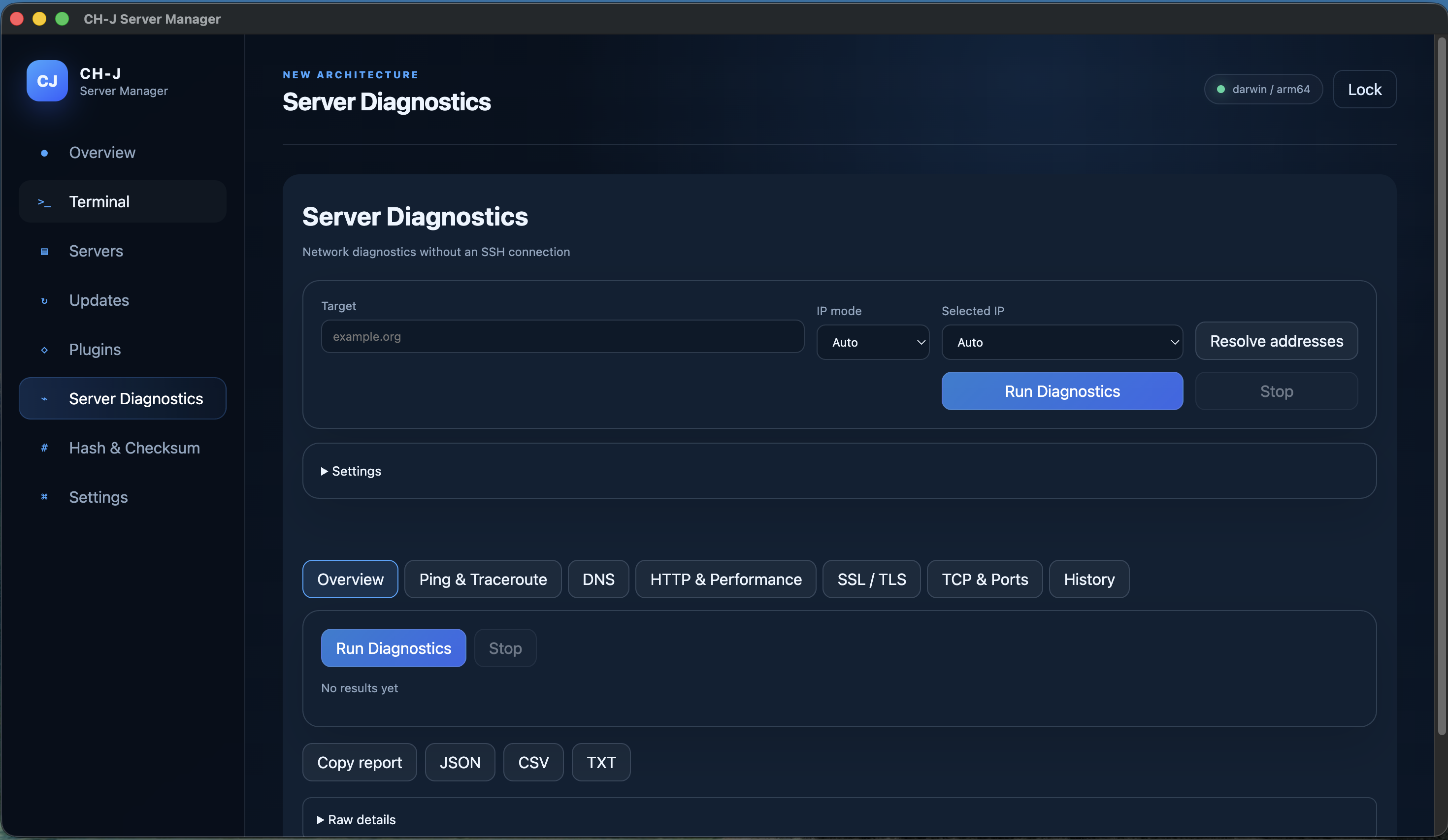
server diagnostics

Probe ICMP, traceroute, DNS, HTTP/1.1/2/3, TLS and TCP without an SSH connection. Live results, local history and JSON/CSV/TXT exports.

Server Diagnostics →

checksum verification

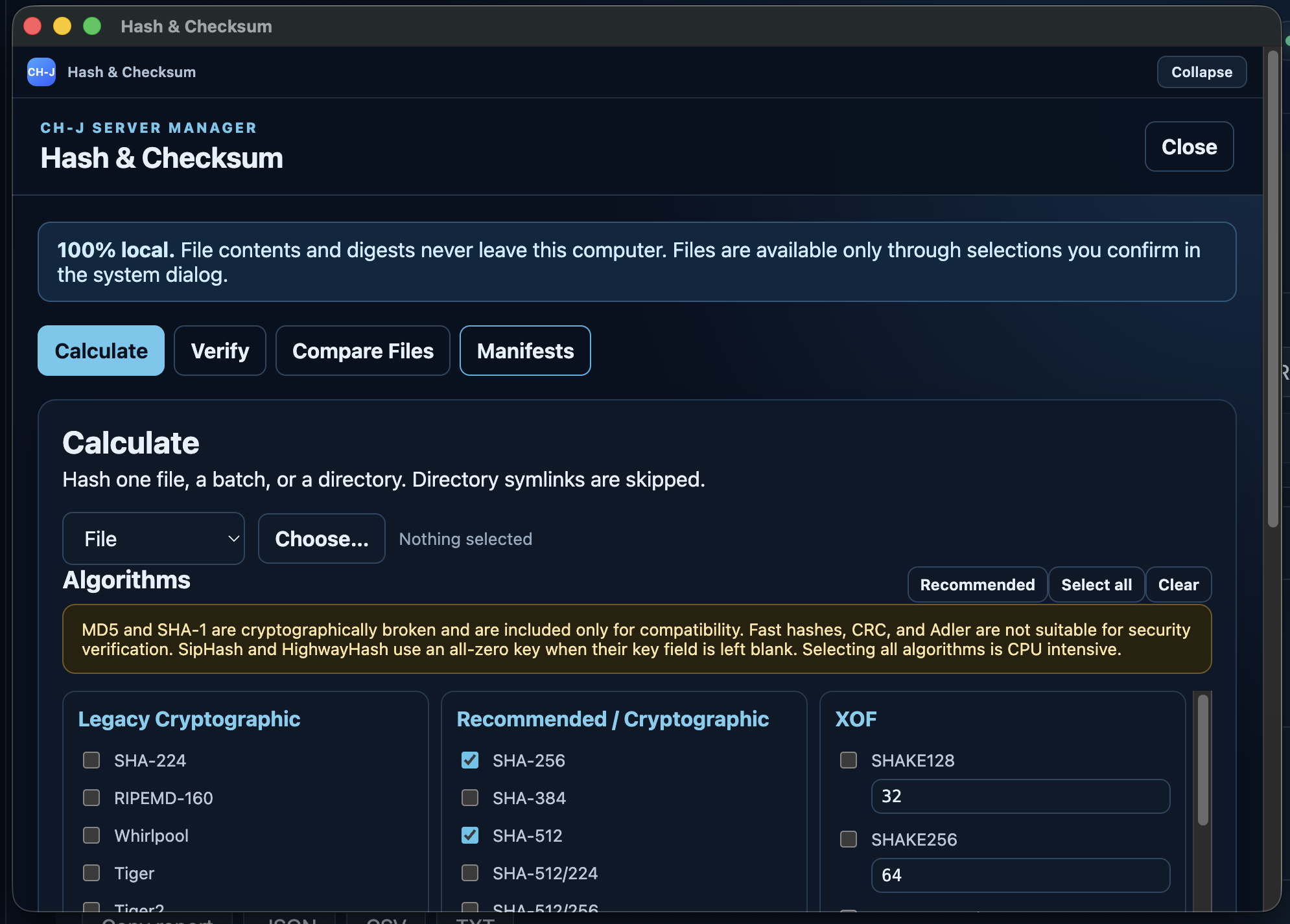
Calculate local file hashes with 49 algorithms, verify expected digests, compare files, and create checksum manifests. Output supports HEX and Base64; file contents and digests are never uploaded.

All algorithms and capabilities →

Guides for specific tasks

Procedures, requirements and limitations for each feature.

THE APP IN PRACTICE

Explore CH-J Server Manager

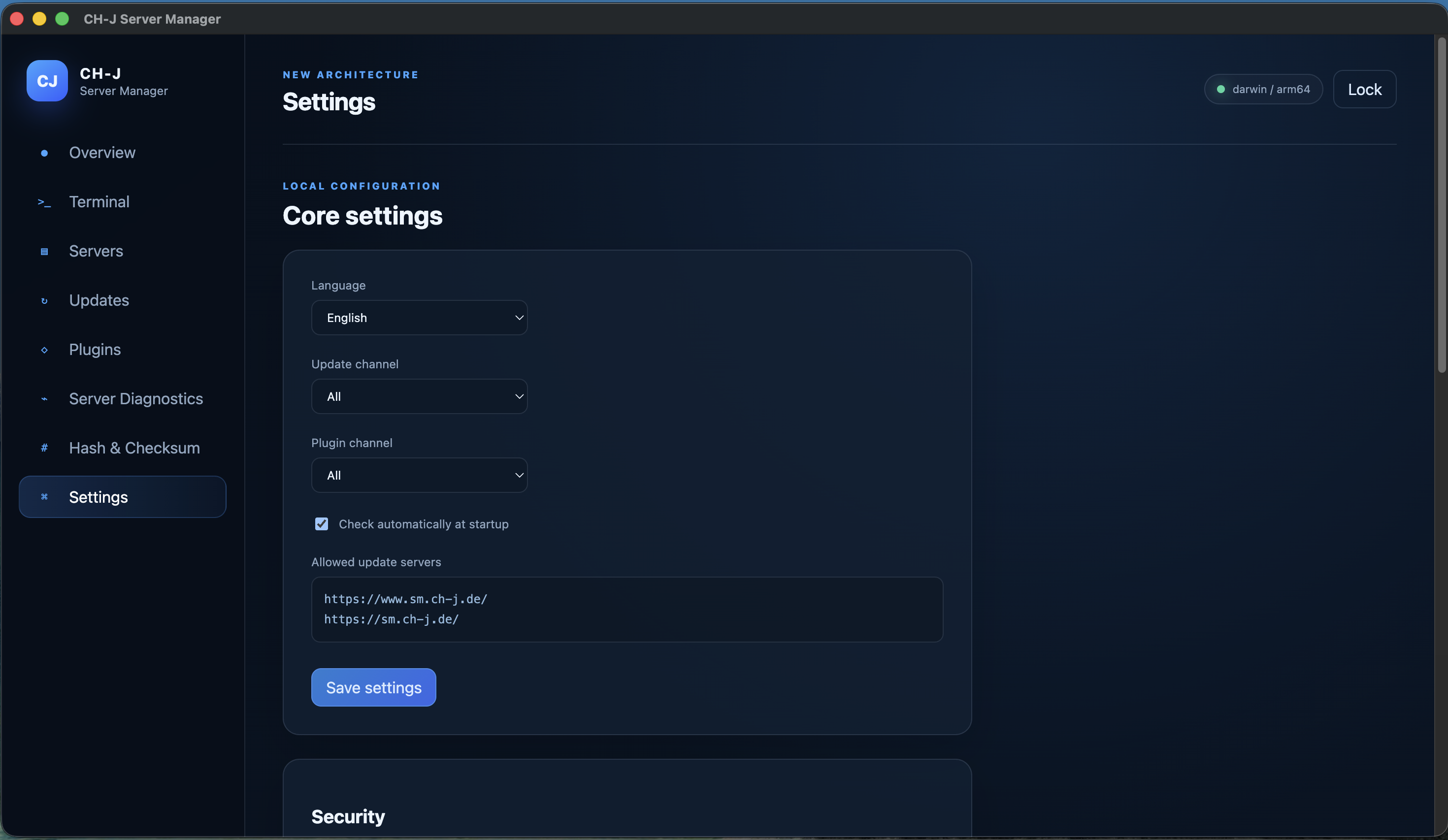
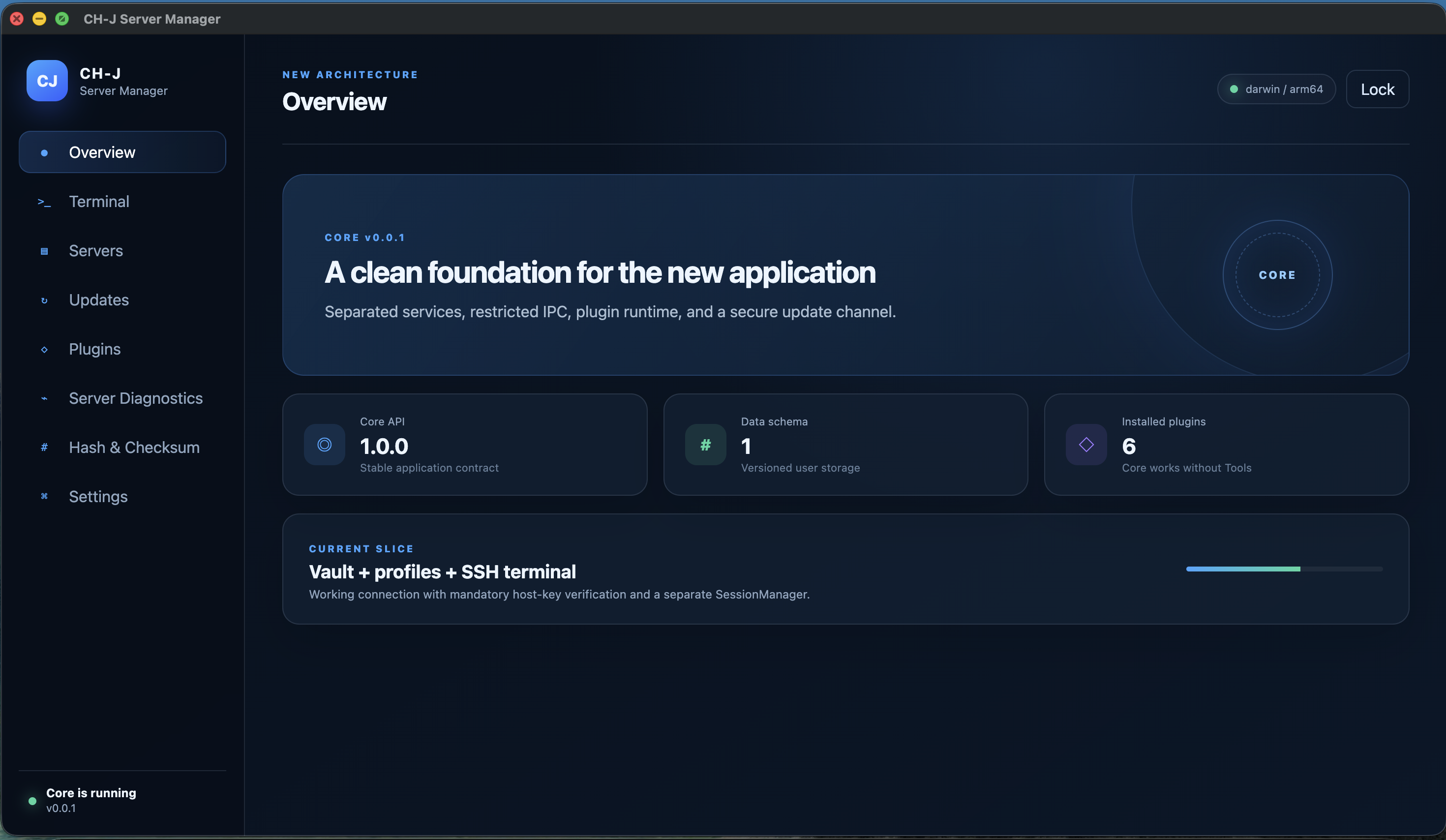
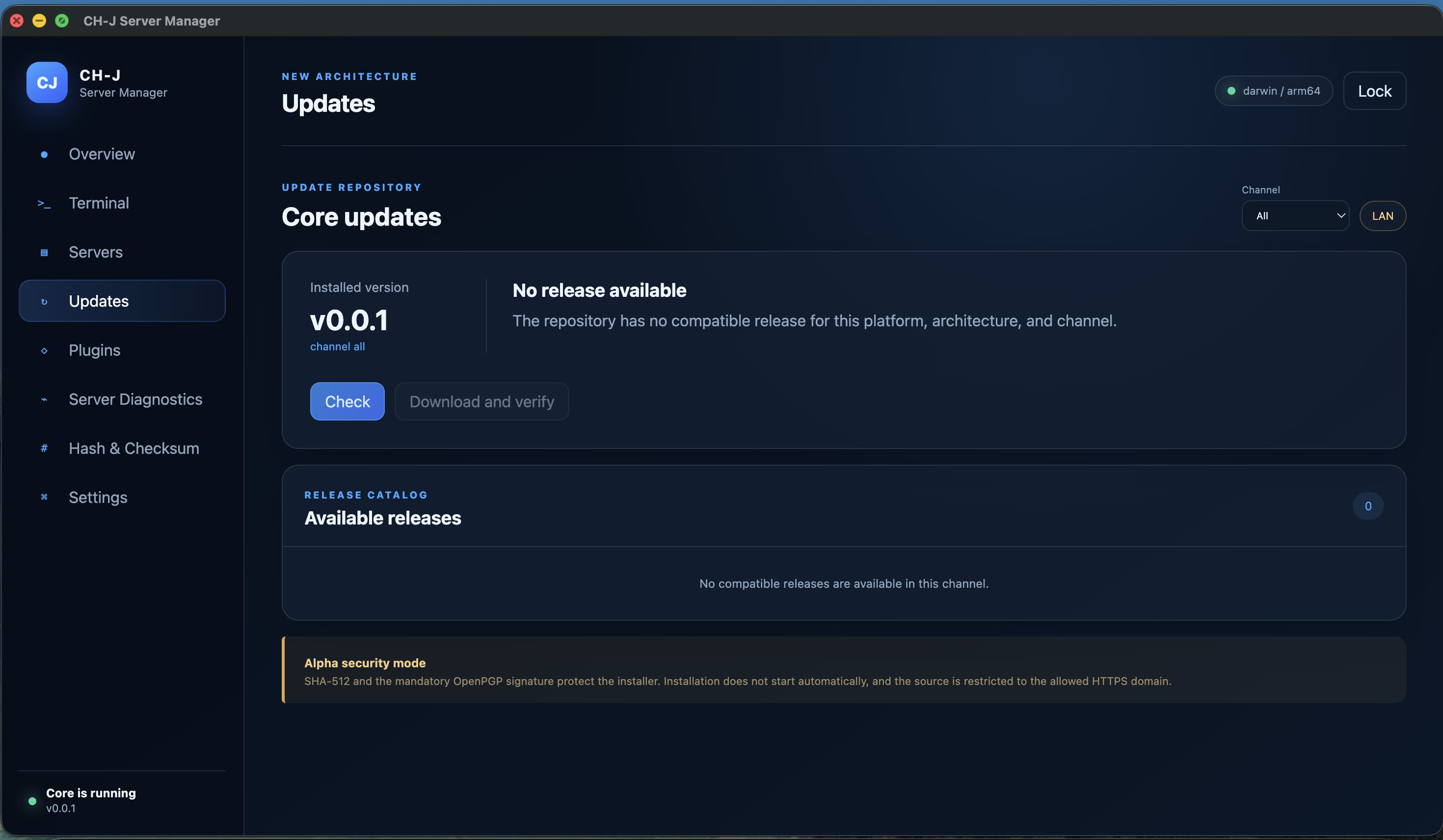
Current screenshots of version 0.0.1: overview, SSH terminal, updates, plugins, diagnostics, checksums and settings. Full resolution loads only when you open an image.

PACKAGE INTEGRITY

Your connections and data under control

Profiles and saved SSH passwords stay in a local encrypted vault. No CH-J account is required. Application updates require size checks, SHA-512 and a valid OpenPGP signature. Current alpha TLS and platform signing limitations are documented.

Security and backups →
SUPPORT

Frequently asked questions

Concise answers about supported systems, connections, data storage and updates.

View all questions →
Is CH-J Server Manager free?

Yes. Commercial and non-commercial use of releases under the CH-J Proprietary Software License 1.14 is permitted without license fees indefinitely under its terms.

Which operating systems does it support?

Current Alpha builds target Windows 11 x64, macOS on Apple Silicon (ARM64), and Ubuntu 24.04 LTS x64. Packages currently available are always listed in the Download section.

Where are connections and sensitive data stored?

Profiles, saved SSH passwords and known host keys are stored in a local encrypted vault. The master password is not stored on disk; with key authentication, the private key remains in the local file selected by the user.

How do I update the application?

The application loads an HTTPS catalog of compatible releases for the selected channel. Before using an update package, it verifies the expected size and SHA-512 checksum. Application updates also require a valid detached OpenPGP signature. License acceptance is required again for every new build.

Documentation

Installation guides, detailed documentation and source code are available on this website.