What you need
A supported desktop system, unlocked vault, readable local file and, for verification, an expected digest from a trusted source.
Procedure
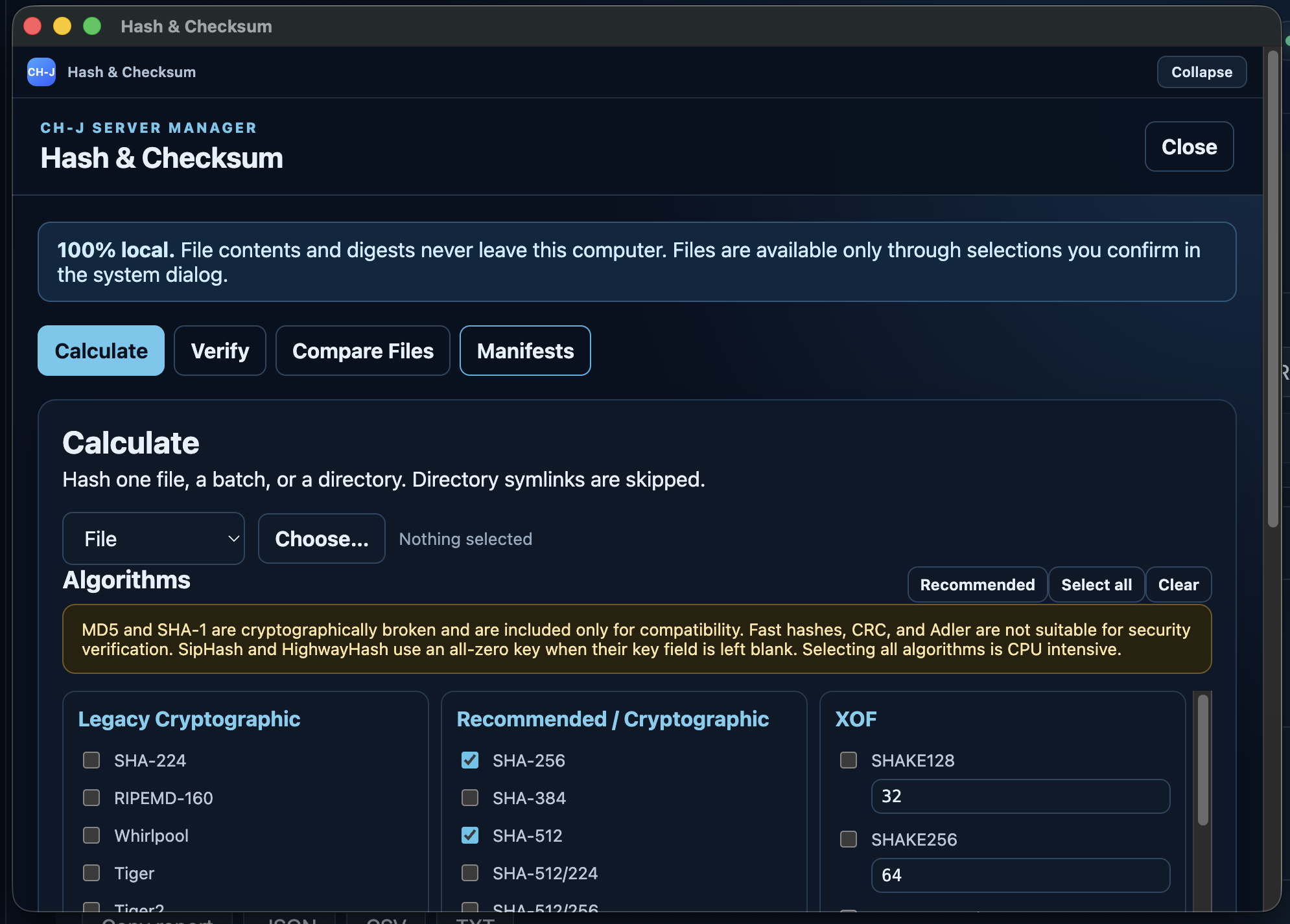
- Open Hash & Checksum in the left sidebar. The tool is bundled and requires no catalog installation.
- Select files or a directory, choose SHA-512, BLAKE3 or another required algorithm, then start calculation.
- For file verification, enter the expected HEX or Base64 digest and select the same algorithm. HEX ignores case and surrounding whitespace.
- Compare two files using their digests or verify batches with GNU, BSD or SFV manifests. Results can be copied or exported.
Limitations and checking results
Files and digests remain local. Directory enumeration skips symbolic links. BLAKE3 produces a fixed 256-bit output.
MD5 and SHA-1 are for compatibility only. CRC and fast noncryptographic hashes are unsuitable for security verification. A matching hash checks expected data; verifying origin requires a trusted signature.
An Alpha development version is available. Before using it on important systems, review the limitations of individual features and prepare backups.